
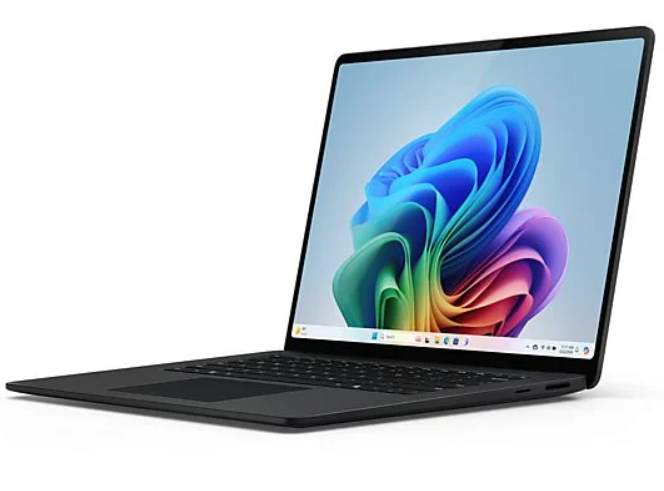
Buying used laptops for sale is becoming a smart and practical choice for students, professionals, and everyday users who want quality performance without spending too much. With brands offering stronger hardware every year, even older models deliver solid speed and reliability when they are well-maintained. If you’re exploring used laptops for sale but fear ending up with the wrong device, this guide will help you make a confident purchase. And if you want a trusted place to start, Refurb Sewa is known for offering thoroughly tested machines that deliver great value.
Why Consider Used Laptops for Sale?
Choosing used laptops for sale allows you to enjoy premium features at a much lower cost. Many models that were once considered top-tier are still powerful enough for modern tasks when maintained well. Instead of buying a low-spec new device, many customers prefer used laptops for sale because they deliver better speed, stronger build quality, and longer life. In addition to saving money, buyers who pick used laptops for sale also contribute to reducing electronic waste, making it a practical and eco-friendly decision.
How to Choose the Right Laptop Specifications for Your Needs
- Identify your primary usage—work, study, multimedia, design, or casual browsing—to narrow down the required configuration.
- Look for at least 8GB RAM for smooth multitasking; upgrade to 16GB if you handle heavy software.
- Choose SSD storage over HDD to ensure faster boot times, quicker file access, and better overall performance.
- Pick a processor that suits your workload—Intel i5/Ryzen 5 for general use, i7/Ryzen 7 for more demanding tasks.
- Select the right screen size; 14-inch is great for portability, while 15.6-inch offers more workspace.
- Check battery backup to ensure it meets your daily usage hours, especially for travel or classes.
- Consider a dedicated graphics card only if you work with video editing, gaming, or design tools.
- Make sure the laptop includes essential ports such as USB, HDMI, and Type-C based on your accessories.
- Prioritize devices with clear testing reports or verified condition details for added confidence.
Red Flags to Avoid When Buying Used Laptops for Sale
- Look for cracks, dents, or loose hinges, as these usually signal rough handling and hidden internal damage.
- Avoid laptops with flickering displays, dead pixels, or uneven brightness, as screen repairs can be costly.
- Listen for unusual sounds such as clicking or grinding, which may indicate failing hard drives or cooling issues.
- Be cautious of laptops that heat up excessively even during simple tasks, as this points to poor maintenance or faulty components.
- Stay away from devices that show lag, freezes, or inconsistent performance, as they may have software or hardware faults.
- Ensure the laptop comes with an original or compatible charger; missing chargers often hide charging port issues.
- Do not purchase laptops running unlicensed or cracked software, as this leads to instability and security risks.
- Inspect ports for wobbling, rust, or non-functional connections, since port repairs are often expensive.
- Avoid any laptop showing signs of a swollen battery, as it poses safety hazards and requires immediate replacement.
Checklist to Follow Before Finalizing Your Purchase
- Test every key on the keyboard to ensure there are no stuck, non-responsive, or overly soft keys.
- Check if the trackpad responds accurately to taps, gestures, and scrolling without delays.
- Plug in accessories to make sure all essential ports—USB, HDMI, Type-C, charging, and audio—work properly.
- Connect to Wi-Fi to confirm that the wireless card is stable and supports a strong signal.
- Open the webcam to verify clear picture quality, especially if you attend online classes or video calls.
- Play audio through both speakers to check for distortion, buzzing, or unusually low volume.
- Use the microphone to record a short clip to ensure crisp and clean audio input.
- Review the battery health report to understand how long the laptop can run without being plugged in.
- Compare multiple used laptops for sale and consider certified sellers like Refurb Sewa for verified testing and safer purchases.
How to Improve the Performance of a Used Laptop After Purchase
Once you bring home a device chosen from used laptops for sale, a few upgrades can improve its speed significantly. Replacing the hard drive with an SSD makes the system feel much faster instantly. Increasing RAM helps with heavy browsing, applications, and multitasking. Cleaning unnecessary files, updating drivers, and installing a fresh OS keep the laptop running smoothly. Many buyers who select used laptops for sale also invest in cooling pads to maintain better temperature control during work or gaming. These simple enhancements can extend the life of your device by several years.
Conclusion
Exploring used laptops for sale is one of the smartest ways to enjoy powerful performance without overspending. With the right specifications, clear inspection steps, and awareness of warning signs, you can confidently pick a laptop that fits your daily requirements. Certified sellers help simplify the experience, and Refurb Sewa offers a dependable starting point for anyone searching for quality-tested used laptops for sale. With careful evaluation and a few upgrades, buying used laptops for sale becomes a rewarding decision that delivers long-term value.
FAQS
How can I check if a used laptop has hidden issues?
Inspect the ports, listen for unusual noises, test the keyboard and trackpad, check temperatures, and review the battery health report.
Is it safe to buy used laptops for gaming or editing?
Yes,. As long as the laptop has a strong processor, dedicated GPU, and proper cooling. Check these carefully before buying.
What accessories should I check when purchasing a used laptop?
Confirm the charger’s authenticity, inspect the power cable, and ask if any additional items like bags or docks are included.

